How to start playing
You can play right now without asking anyone. There are two ways in. Read the first one — it is the one that works for almost everybody.
Way 1 — Play now, with no account
It takes less than a minute. This is the normal way.
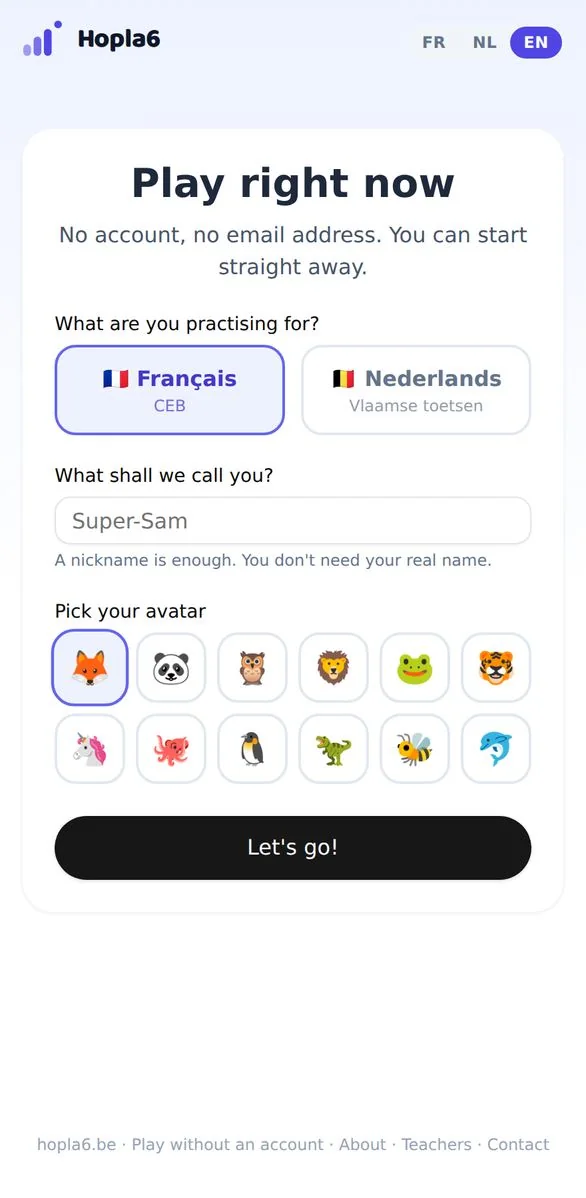
The screen where you start playing.
Choose what you are practising for
Two buttons: Français if you sit the CEB, Nederlands if you sit the Vlaamse toetsen. If you are not sure, pick the language of your school.
Make up a nickname
Not your real name. Super-Sam, Ninja42, whatever you like. Nobody else sees it.
Pick your avatar
The fox, the panda, the dragon… You can change it later if you get bored of it.
Press “Let's go!”
And you are playing. When you get something wrong, Hopla6 explains the mistake in three steps, then asks you a similar question.
At the end, write down your Hopla code
After your first game you get a code in three parts, like fox-green-4821. Write it down somewhere, or take a photo of it.
That code is the only way to keep what you did. Give it to a grown-up at home — they can type it in and your progress will be kept.
Way 2 — A grown-up already gave you a login
If a parent has already added your email address in their area, you can have your own password.
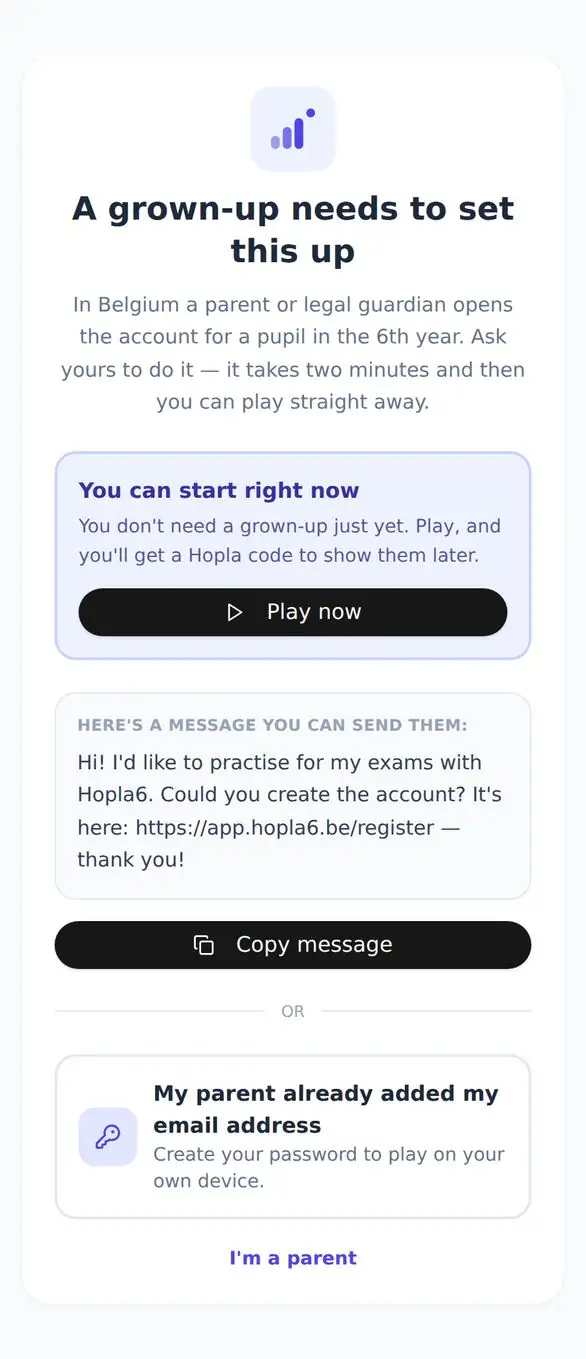
The pupil page.
Press “My parent already added my email address”
It is the button right at the bottom of the page.
Type your email address and choose a password
- The email address: exactly the one your parent added.
- A password of at least 8 characters.
- Type it a second time, exactly the same.
- Press Create my password.
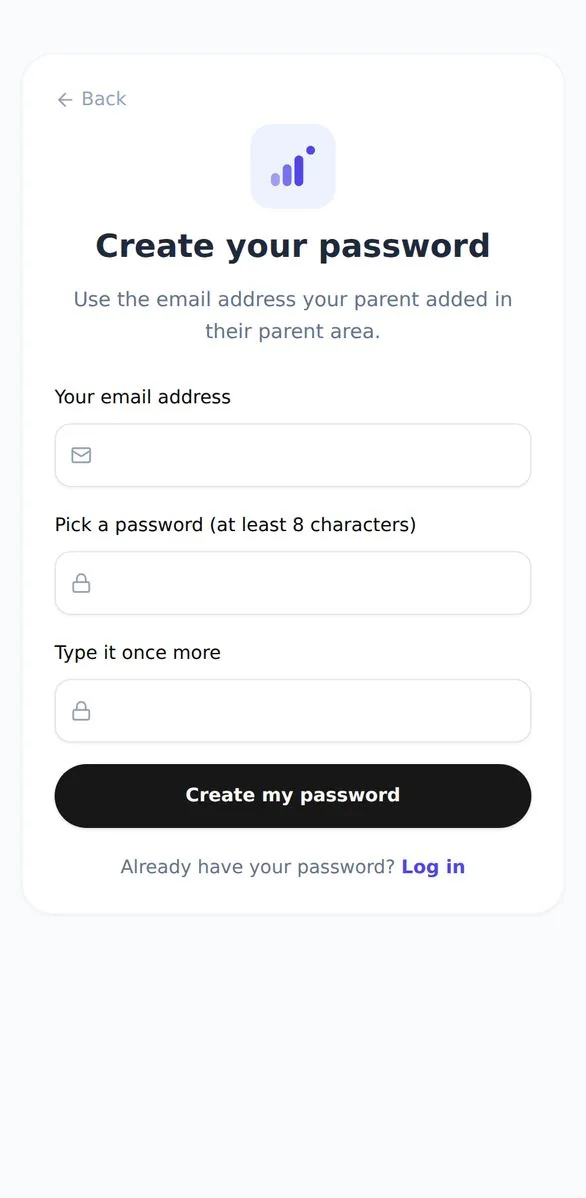
Your address, your password, twice.
Type the six-digit code
We send a six-digit code to your email address. Go and fetch it, then copy it in.
Done
You land straight in your own space, with your first name and your progress.
If the screen says your address is not linked yet, that is not a mistake you made. Ask your parent to add that address in their parent area, then sign in again.
Why can't I make the account myself?
Because in Belgium a parent or legal guardian has to say yes for a pupil of 11 or 12. It is not about trust: it is the law, and it is there to protect you. It is also exactly why you can play with no account at all — we did not want you to have to wait.
A message to send a grown-up
If you want a grown-up to open the account, you can send them this:
Questions we get asked
I lost my Hopla code.
We can't find it for you: nobody knows who you are, and that is on purpose. But you can play a new game whenever you like, and you will get a new code.
Can anyone see my answers?
A grown-up at home, if the account exists. Your teacher sees the whole class's results together, never your name on its own.
Do I have to pay?
Not to practise every day: Discovery is free forever, two rounds of questions a day. A grown-up can take the Family plan for unlimited practice.
I picked a silly nickname — can I change it?
Yes, in your profile. And if you start again in guest mode, you simply choose another one.
For a grown-up: the parents' guide