Create your parent account
You open the account, your child plays. Allow three minutes, and keep your inbox open: we send a six-digit code to it.
Open the sign-up page
Go to app.hopla6.be/register. Phone, tablet or computer — it is the same page.
Top right, the FR NL EN pills change the language of the screen.
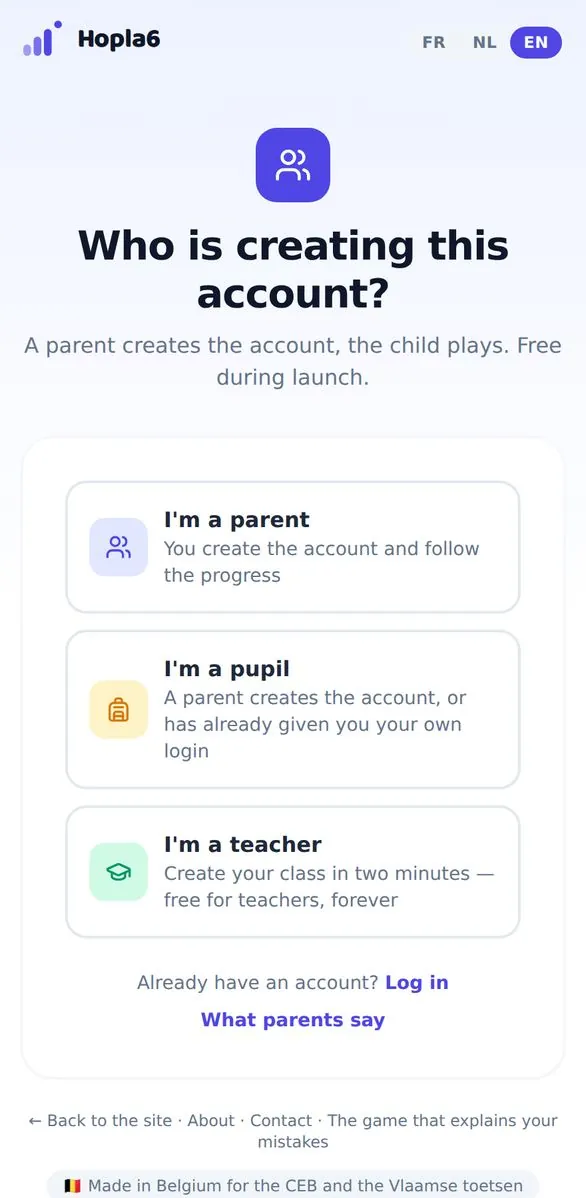
The sign-up page, with the three profiles.
Choose “I'm a parent”
It is the first of the three cards. The other two are for a pupil you have already given a login to, and for a teacher opening a class.
Your email address and a password
- Type your email address — yours, not your child's.
- Pick a password, then type it again, identically, in the next box.
- Tick the box: you confirm you are the parent or legal guardian and have read the privacy policy.
- Click Create free account.
Rather not remember another password? Continue with Google does the same thing in one step.
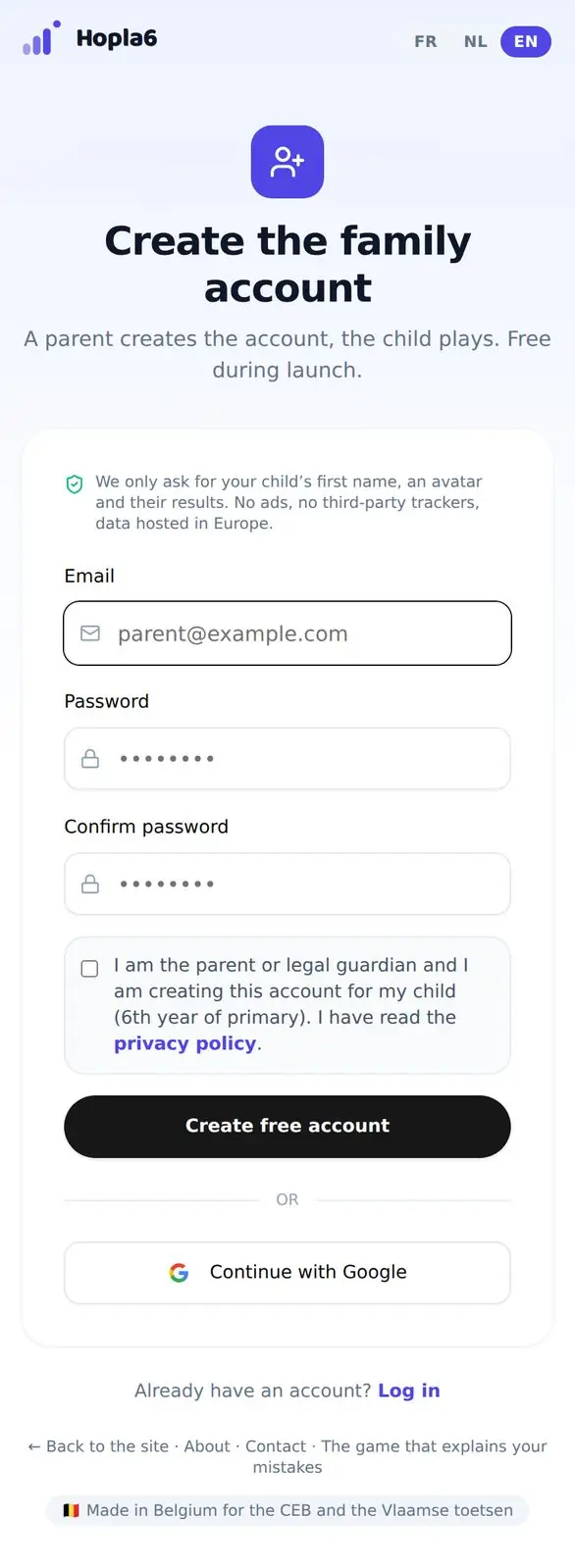
The form: email, password, confirmation, tick box.
Type the six-digit code from your email
We send you a six-digit code. Copy it into the next screen. It usually arrives within a minute.
Nothing there? Check your spam folder, then ask for a new code from the same screen.
Add your child
You land in your parent area. Adding a child takes three things:
- Their first name. First name only — we never ask for a surname.
- An avatar, which they can change whenever they like.
- Their track: CEB for French-language schools, Vlaamse toetsen for Dutch-language ones.
That's it — your child can play.
Two settings worth a minute (optional)
- Give your child their own login. Add their email address to their profile and they can sign in by themselves on their own device, without ever reaching your settings or the delete button.
- Invite the other parent. They can follow progress, but not change or delete anything.
Has your child already played without an account?
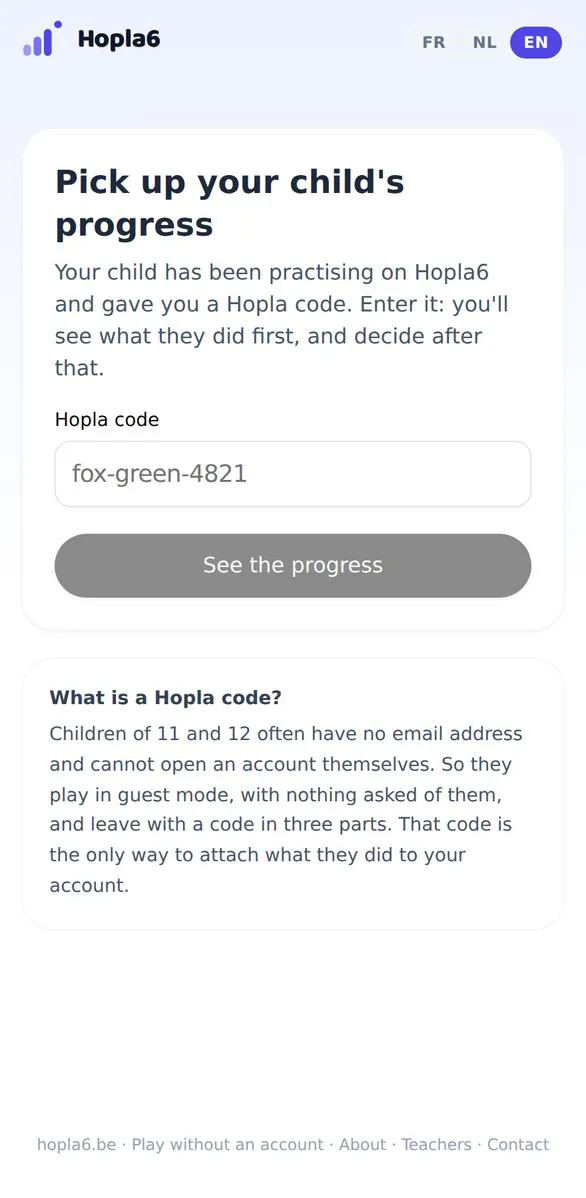
A child who played in guest mode left with a Hopla code in three parts, like fox-green-4821. Enter it at app.hopla6.be/claim: you see what they actually did first, and decide about an account after that. Everything they got right is kept.
If something gets stuck
The six-digit code never arrived.
Check your spam folder first. Then ask for a new code from the verification screen. If nothing arrives within ten minutes, write to hello@hopla6.be with the address you used.
It says I already have an account.
Sign in at app.hopla6.be/login. Forgotten the password? The “Forgot password” link on that page sends you what you need to choose a new one.
How many children can I add?
Up to three on the Family plan. Each child has their own profile, their own progress and their own track — one child in French and one in Dutch works on the same account.
Will I have to pay?
Only if you want more than the free plan. Discovery is free forever — two rounds of questions a day per child, with every mistake explained — and no card is ever asked for. The Family plan is €69,99 a year including VAT and lifts the daily limit for up to three children.
How do I delete my child's data?
From their profile, in your parent area: deleting erases the profile, the progress and the answers. We keep only the dated record of the withdrawn consent, because that is what proves you withdrew it.
See also: the pupil's guide · the teacher's guide